 Zero
ZeroHome
Create a Home, invite members and use the basic Bell with Free Home. Home Premium adds intercom, member communication and visitor voicemail.
Explore HomeSee Home pricingVisitors ring at an Entry, such as a front gate. Household members or permitted Business responders answer through ZeroBell. Members can also communicate using text, voice notes and push-to-talk audio.
Business is free for now during the introductory period. Home has Free and Premium plans.
ZeroBell is not available in the stores yet. These links open the stores; app listing links will be added when published.
Create a Home, invite members and use the basic Bell with Free Home. Home Premium adds intercom, member communication and visitor voicemail.
Explore HomeSee Home pricingVisitors can reach permitted responders at an Entry. Business members can communicate with one another, and a basic public profile introduces the business.
Explore Business — free for nowIntroductory access is temporary. No Business payment is collected now.
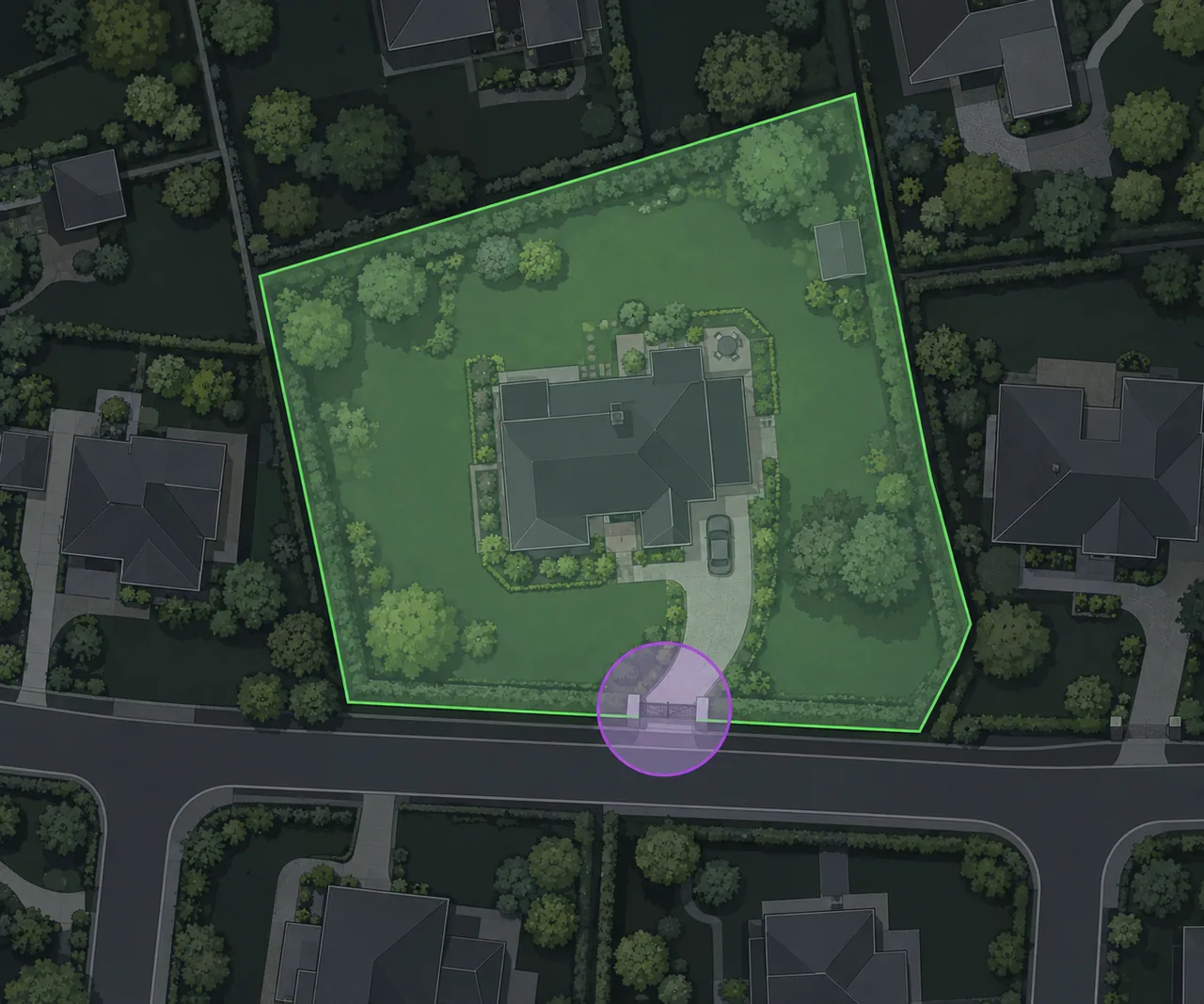
Draw a polygon Perimeter around the property, then add a circular Entry at an arrival point, such as the front gate.
A visitor uses the Bell at an Entry to contact that Home or Business — free for now.
Household members or permitted Business responders answer. One device handles the live Bell interaction at a time.
Compare Home plans and Business — free for now, or visit Support with a question.